 Moji AI
How to Make an AI Influencer in 2026 (Full Guide)
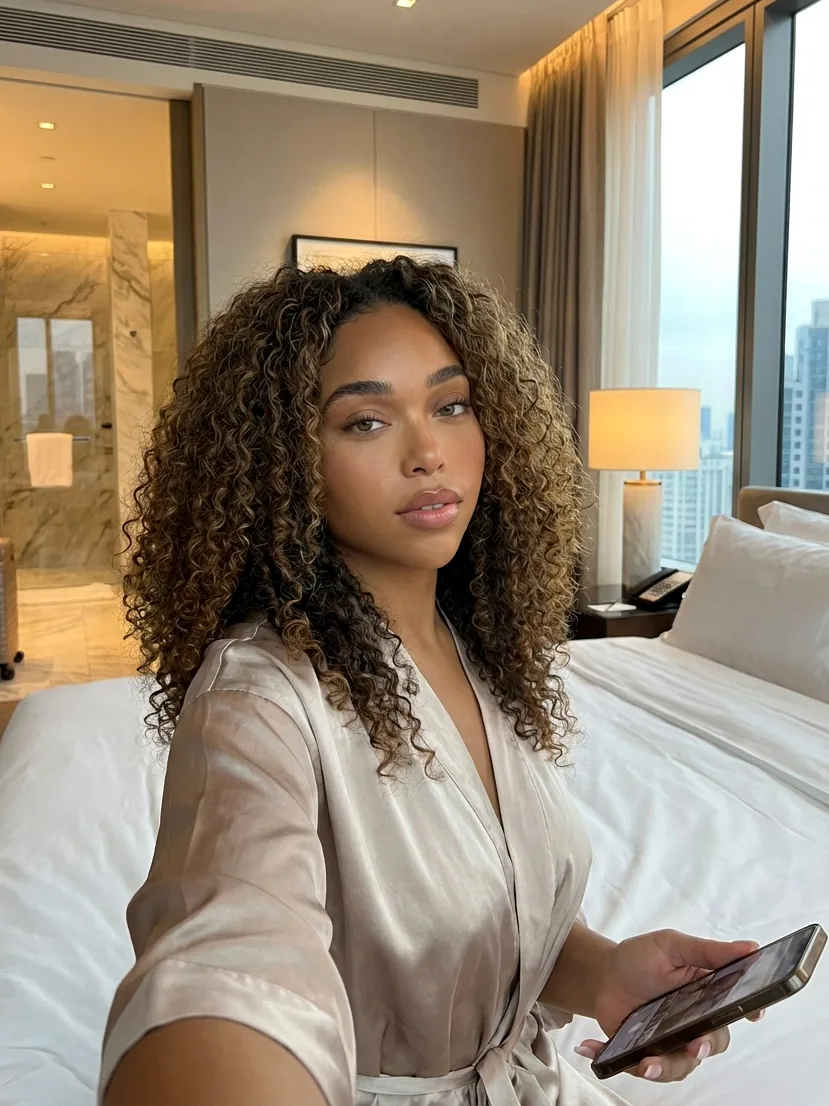
An AI influencer is a character you design once and then post every day: same face, same voice, new outfits and scenes. This guide walks through the exact setup we use for Lisa (@lisalaneai) and the @mojia dancers, start to finish, in Moji AI on iPhone.
What you need
- Moji AI on iPhone or iPad (free to download).
- One niche you can post about for 30 days.
- About an hour for the first setup, then roughly 2 hours a week.
Step 1: Pick one niche
A pretty face with nothing to say does not grow. Choose one lane and stay in it for the first month:
- Dance and trends for the fastest reach.
- Fashion and outfits for easy carousels and brand options.
- Fitness motivation for a loyal audience.
- Travel and city life for beautiful, shareable posts.
- Tech and apps for a smaller but more valuable audience.
Step 2: Build the persona
Open the AI Influencer Builder in Moji and fill in name, adult age range, city or vibe, niche, three personality words, what she posts and what she never posts. Write it down. Every caption and every image will come back to this sheet.
Name:
Age range (adult only):
City / vibe:
Niche:
3 personality words:
Posts about:
Never posts about:
Bio: AI creator | [niche] | made with Moji AI
Step 3: Lock the look
This is the step that separates real AI creators from random AI images. Write one look prompt and reuse it forever. Only the outfit and setting change.
[NAME], a [AGE RANGE] woman with [FACE SHAPE] face, [EYE COLOR] eyes, [HAIR COLOR AND STYLE], [SKIN TONE] skin, [BUILD], wearing [SIGNATURE OUTFIT], standing in [SETTING], soft natural light, vertical 9:16, photorealistic, sharp focus
Paste it into Text-to-Image, generate 20 to 40 images and keep the 5 that look most like the same person. That is your reference set. If a new image does not look like her, do not post it.
Step 4: Make her move
Stills get saves; motion gets reach. Take one image from your reference set and run a Trending Moves preset to turn it into a short dance or walk clip. Keep clips 7 to 15 seconds and vertical. Our full walkthrough is in How to Turn One Photo Into a Trending Dance Video.
Step 5: Write hooks and captions
Use Creator Copilot to write hooks and captions in her voice. Ten openers that work for almost any niche:
- POV: your AI bestie picks your outfit
- Rate this fit 1 to 10
- I'm AI, but this trend is real
- 3 [niche] mistakes you're making
- Which one: left or right?
- This took me 10 seconds to make
- Tell me your city, I'll style you for it
- Guess what I'm made with
- Part 2 because you asked
- Comment a word and I'll make a look from it
Step 6: Post honestly
Put "AI creator" in the bio and turn on the platform's AI-generated label for every post. If someone asks "are you real?", the answer is no. Accounts that pretend to be real get reported; accounts that are open about it keep growing. More in How to Post AI Content Honestly.
Step 7: Post daily for 30 days
Start with 3 motion clips, 2 talking hooks and 2 photo carousels a week. Keep what gets watched, drop what does not. Batch a week of content in one 2-hour session so posting never depends on your mood.
Common mistakes
- Changing the face prompt between posts. Change only outfit and setting.
- Posting in five niches at once.
- Hiding that she is AI.
- Using a real person's face, name or voice without written permission.